
Expense Tracker App: How to Choose One That Sticks
Compare expense tracker app features, privacy, and daily habits. Learn what to track, how to choose, and how Atlantic Finance on iPhone and iPad fits.
Most people do not need another complicated finance dashboard. They need an expense tracker app they will open at the coffee shop, after groceries, or when a subscription renews—something fast enough that tracking becomes a ten-second habit instead of a monthly apology to a spreadsheet.
This article is for general education only and is not financial, tax, or legal advice.
The problem
Without a dedicated place to log spending, money disappears in ways that feel vague: “I was careful this month,” yet the balance is lower than expected. Calendars remember due dates, not $47 lunches. Bank apps show transactions but rarely tie them to budgets you are trying to honor.
Why spreadsheets and memory fail
Spreadsheets are flexible but fragile. Skip a week and the habit dies. Formulas break. Categories drift. Memory is worse: we underestimate small purchases and forget cash entirely.
What bad tracking costs you
- Surprise overdrafts when several small charges stack before payday
- Forgotten subscriptions that renew quietly
- Guilt-driven avoidance—you stop opening any tool because the picture feels harsh
- Slow goals because savings never get a clear “after expenses” number
A good expense tracker app should reduce anxiety, not add homework. If logging takes more than a minute, you will estimate later—and estimates lie.
Privacy and trust matter
Some free apps fund themselves with ads or data partnerships. Before you link a bank, read what happens to transaction data. Many Apple users prefer local-first apps that work fully on device and only sync when they choose.
A simple way to use an expense tracker app
Think in three layers: capture, organize, review. You do not need every feature on day one.
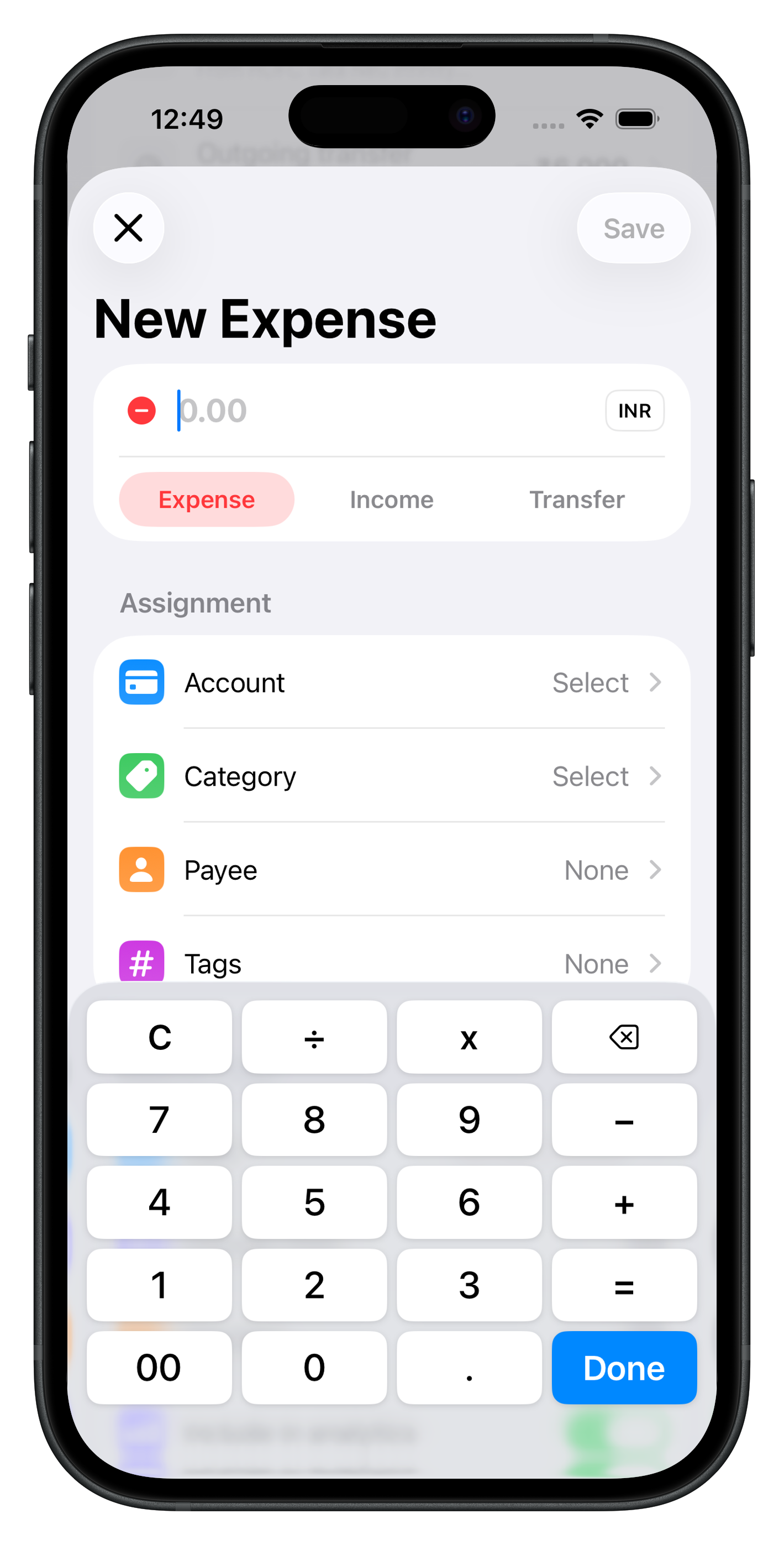
1. Capture at the point of spending
Log when memory is fresh:
- Amount and account (checking, cash, card)
- Payee (merchant name you will recognize later)
- Category (groceries, dining, transport)
Duplicate recent payees so repeat coffee runs take two taps. If you reimburse work costs, add a short note now—not in April at tax time.
2. Organize with categories and payees
Consistent labels make month-end honest. Keep categories few enough to remember (ten to fifteen is plenty). Match payee names to how your bank labels ACH pulls so searching “electric company” finds the charge.
Recurring expenses—rent, insurance, streaming—should be templates. When the charge posts, confirm the amount if it changed instead of retyping from scratch.
3. Review once a week (five to ten minutes)
Open the app on the same day each week:
- Scan uncategorized or suspicious charges
- Compare category totals to your monthly budget caps
- Move money mentally (or in accounts) if a big bill week is coming
Pair this with a monthly pass: cancel one subscription, fix one miscategorized payee, adjust next month’s budget line that always breaks.
Manual vs bank connections
| Approach | Best for |
|---|---|
| Manual entry | Cash, privacy, building awareness |
| Bank import | High card volume, fewer forgotten charges |
| Hybrid | Manual for cash; import for cards |
Atlantic Finance on iPhone and iPad is built local-first: daily tracking stays fast offline. You are not forced to link a bank on day one. Read Sync & privacy before enabling optional sync across devices.
Features worth comparing
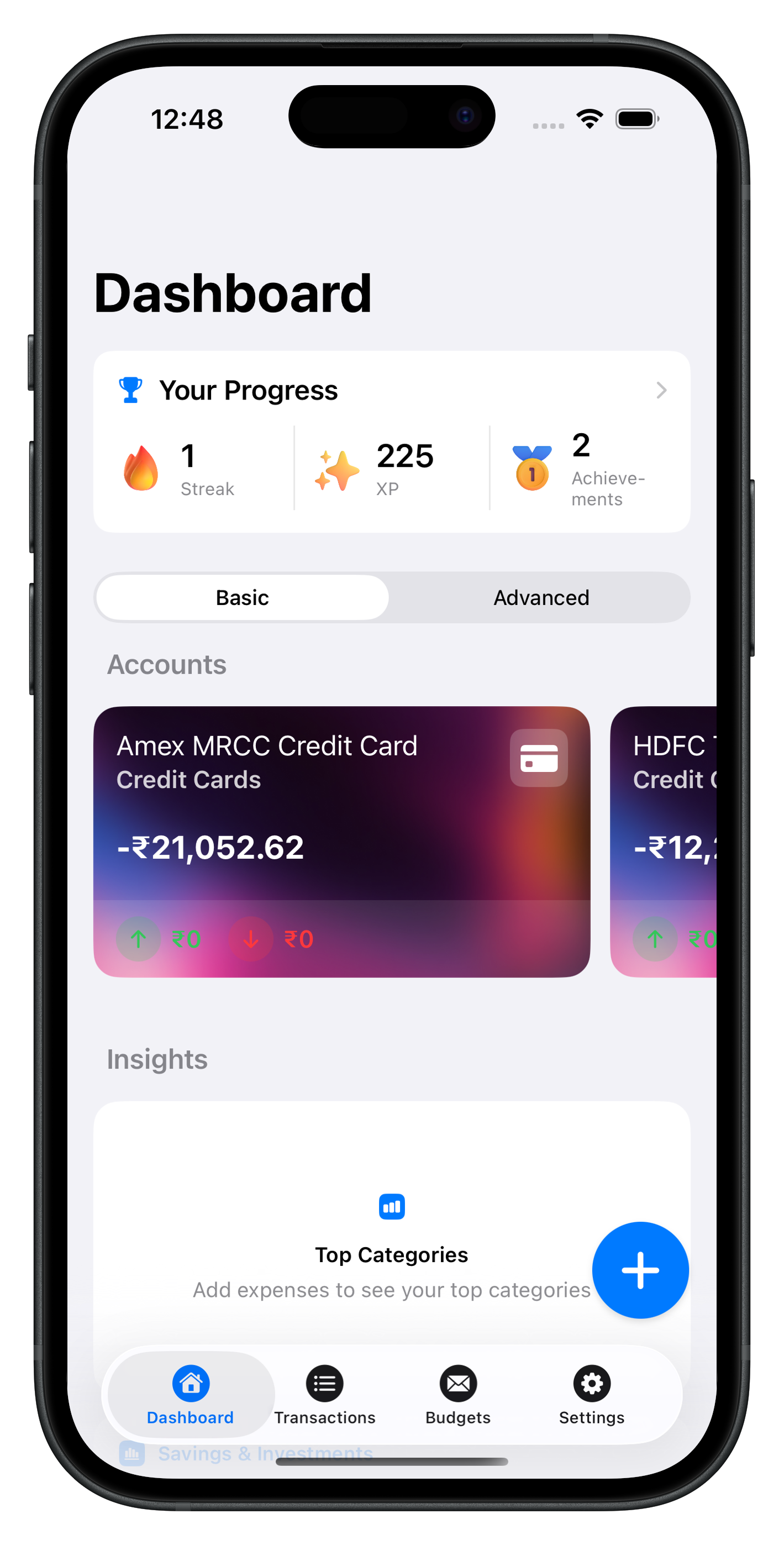
- Multiple accounts in one view (checking, savings, cards)
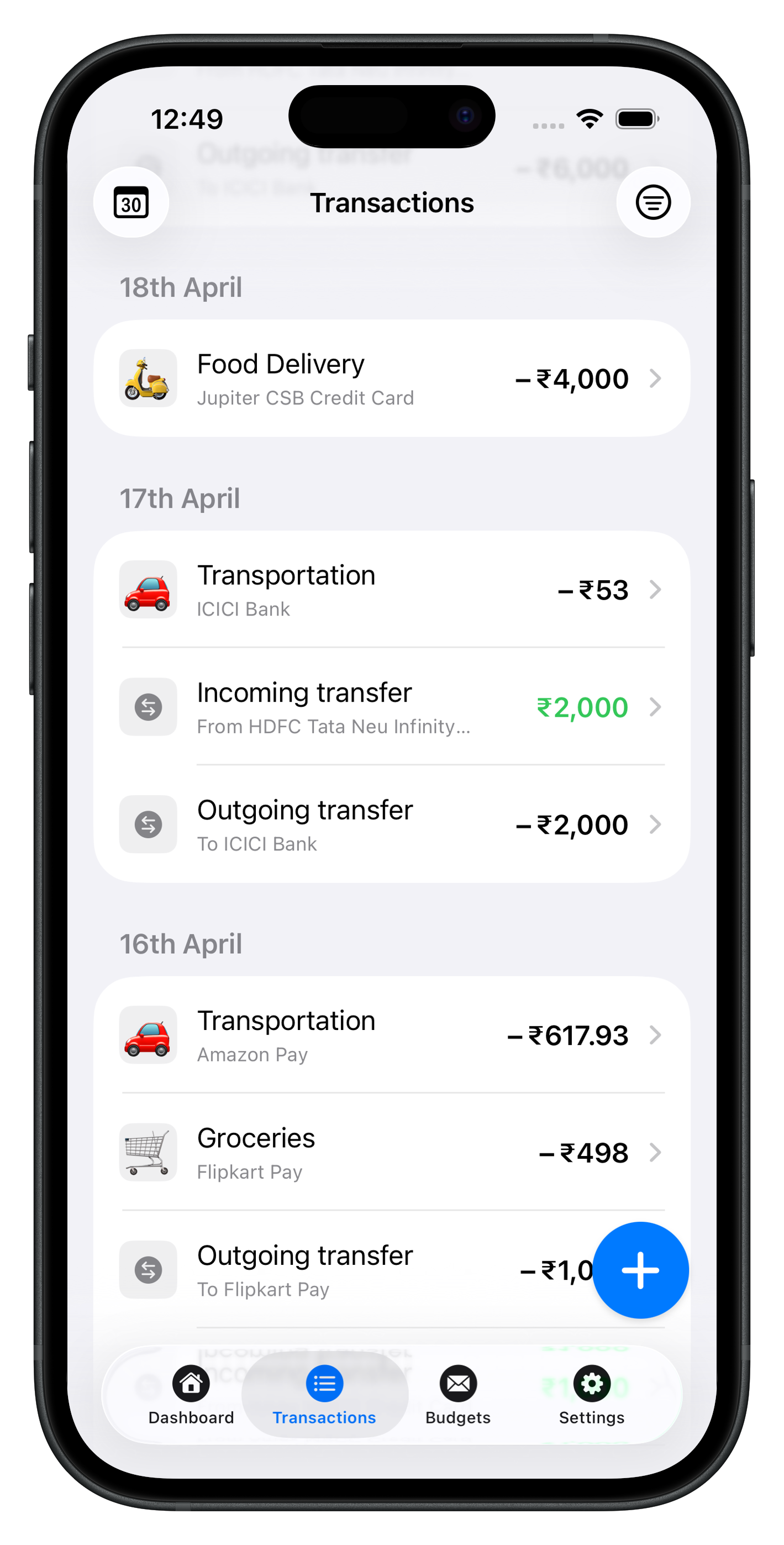
- Transfers between your own accounts without fake “income”
- Search and filters for “that charge from six weeks ago”
- Budgets tied to categories so overspending shows where you log
- Export when you need CSV for taxes or a partner
Avoid apps that drown you in charts but hide “how much is left in groceries.” Clarity beats complexity.
How Atlantic fits
Atlantic focuses on everyday questions: what did I spend on dining, how much room is left in a budget line, what bills recur this month. Transactions, categories, payees, recurring entries, and budgets live in one calm interface—see screenshots below.
Start free, explore Atlantic Pro when you want advanced limits and exports, and use Support if you get stuck. More habits and reviews are on the blog.
See Atlantic on iPhone & iPad
Local-first speed, clear categories, and budgets that update as you log—no cluttered dashboards.
Download Atlantic Finance
Track your expenses, budgets, bills, and savings in one simple app.
Free to start on iPhone and iPad. Optional sync when you use more than one device.


FAQ
What should an expense tracker app record?
At minimum: date, amount, account, category, and payee. Add notes for reimbursements or taxes. Recurring entries help for rent and subscriptions so you are not retyping every month.
Is manual entry better than bank sync?
Manual entry builds awareness and works offline or with cash. Bank sync is faster but can miscategorize transfers and needs you to trust a third party with credentials. Many people start manual and add sync only if they need it.
How often should I log expenses?
Same day is ideal—under thirty seconds per purchase. If you batch, pick one daily reminder or a five-minute Sunday review so nothing stacks up for weeks.
Does Atlantic work without the internet?
Yes. Atlantic is local-first on iPhone and iPad, so core tracking works offline. Optional sync keeps devices aligned when you turn it on.
Can I export my expense history?
Yes. Export from Settings when you need CSV for taxes, a partner, or switching tools. Atlantic Pro adds more power-user options—see the Pro page on this site.